Introduction
Cairn is a durable system for agents. Talk to the thread in charge: a thread is a long-lived agent dedicated to a topic. It files issues, briefs the agents that build them, watches their checks, and brings you the decisions that need you.
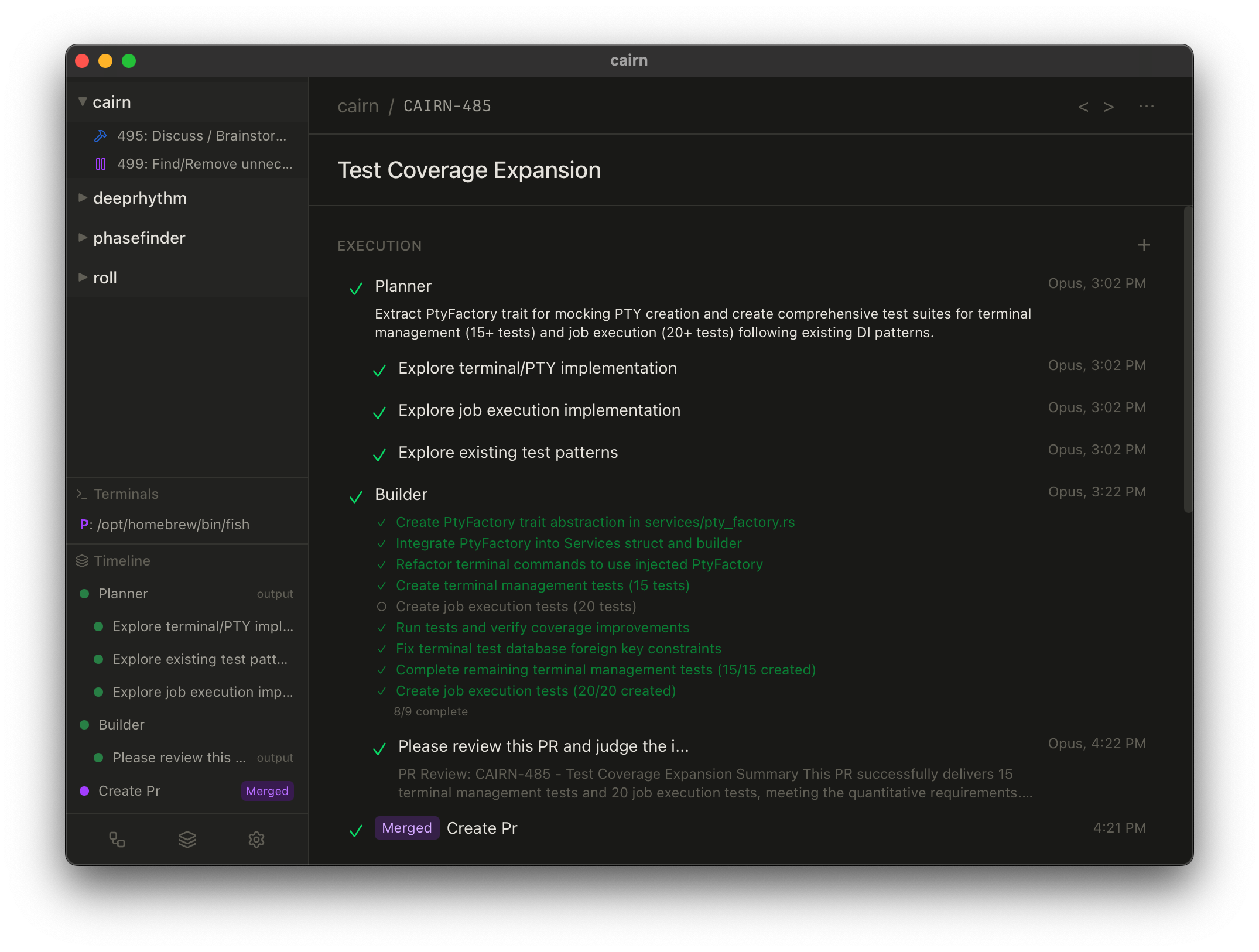
The central object of work is the issue: a container for the whole life of a piece of work. Agent runs, comments, artifacts, transcripts, diffs, and pull requests all accumulate there, so work resumes with its context intact.
Agents run on the model accounts you connect, and accounts are a pool: one or more Claude, ChatGPT, or OpenCode Go subscriptions, OpenRouter API keys, or Ollama for local inference. See Providers and backends.
How work is shaped
Threads hold a standing topic: a subsystem, a concern, an ongoing design discussion. A thread stays open, files issues to do the work, and keeps an arc of what was decided and what was ruled out.
Issues give a task a place to live that outlasts any one session. An issue ends when it merges.
Recipes define the workflow an issue runs through: which agents act, in what order, and where a human confirms. The default is a plan-then-build loop; custom recipes coordinate parallel agents, typed handoffs, checkpoints, and conditional branches.
Agents are bounded roles rather than interchangeable chats. A planner plans, a builder builds, a reviewer extracts reusable knowledge. The point is operational clarity: every session has a legible job.
Isolated branches keep parallel work apart. Each issue runs on its own branch, and Cairn makes Git ambient — cutting the branch, committing changes as they happen, opening pull requests, and cleaning up — so neither you nor the agent has to manage that bookkeeping by hand.
One surface for everything
Agents act through three verbs — read, write, and run — aimed at a single address space. Files, issues, transcripts, terminals, and sub-tasks are all things they read; edits, comments, and spawned sub-agents are all things they write. You do not need any of it to use Cairn, since the app is the interface, but it is what scripts and integrations talk to. See The three verbs.
Where your work runs, and what leaves the machine
Cairn's single-user experience needs no account. Personal projects, their issues and transcripts, and the database that holds them are stored on your runner. A team-connected project also has a local replica, but its shared records cross the hosted team-sync boundary.
What leaves the machine is the part you are paying a model to do, and that depends on the backend and execution host. On Claude, ChatGPT, OpenCode Go, or OpenRouter, an agent's prompts and the file context it reads go to that provider. On Ollama they go to a host you run, which can be the same machine — the one configuration where your source stays on that controlled path. Credentials are kept by the configured runner; selecting a remote executor may lease the required provider credential to that machine for the run. GitHub, external MCP servers, account and team services, remote executors, billing, bug reports, and network-backed embedding features each add their own boundary. See Privacy and data boundaries for the recipient-by-recipient guide.
Find your path
New to Cairn. Start with Getting started, which takes one issue from created to merged. If a page uses a word in a way you don't recognize, Concepts & glossary defines it.
Running work day to day. Run and recover work is the operating guide: composing a run, answering what it asks, stopping and resuming it, and getting it unstuck when something fails. Checks explains the verification that happens on its own. For work too large for one issue, Threads hold a topic over time and Coordinators drive one feature to completion.
Sharing or working remotely. Teams and remote work explains account connection, team sync, web/mobile access, headless runners, and what remains unavailable without GitHub.
Automating or extending Cairn. The three verbs is the contract every agent and script speaks. Recipes covers composing workflows, and Scripting covers reaching the same surface from the CLI, the TypeScript and Python SDKs, skill scripts, and workflows.
Understanding how it works. Version control explains the isolated branches, the commit barrier, and why Cairn runs on jj — the design reasoning behind the behavior the other pages describe.